System User Guide
For accurate results, it is important that the user wears the vest properly and correctly places the system with FSR sensors on the chair. Below you will find step-by-step instructions and explanatory images.
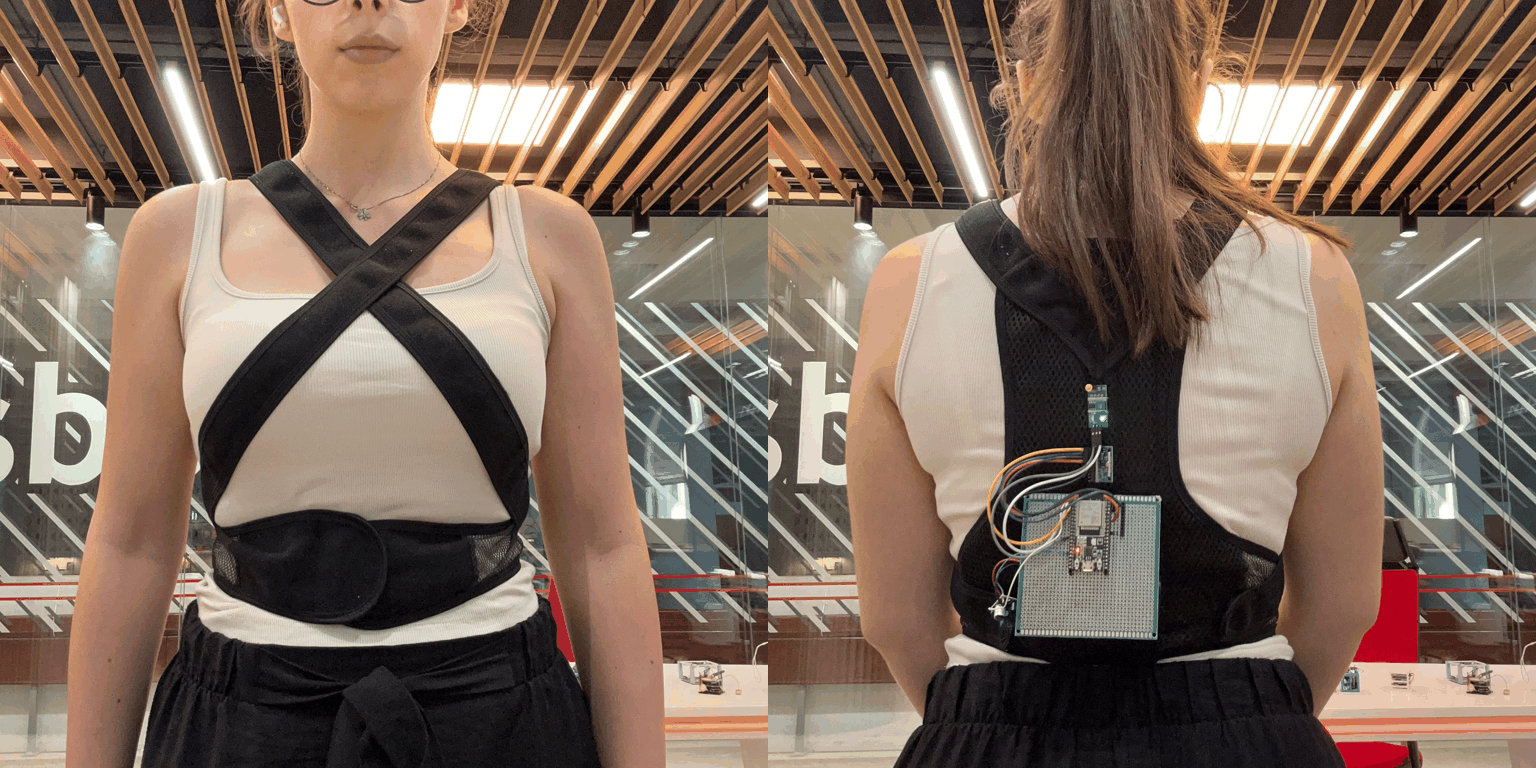
1. How to properly put on the vest
The vest should fit securely yet comfortably around the torso, ensuring that the sensors embedded in it are properly aligned along the center of the back.
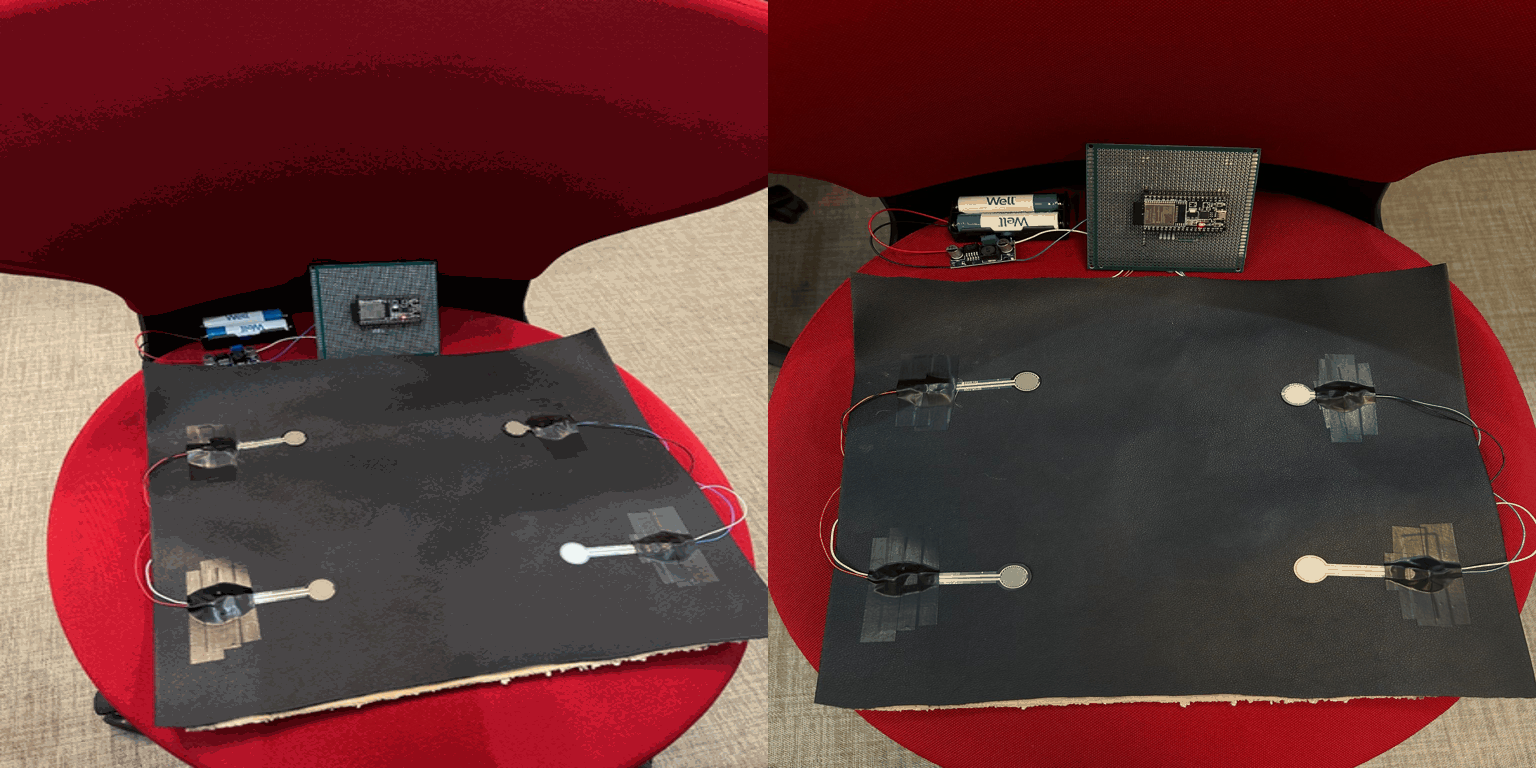
2. How to properly place the FSR sensor system on the chair
The chair should be sturdy, and the user must place the sensors on the seat of the chair to capture weight distribution. The user should sit on the chair in a normal sitting posture.
3. System startup
Once the vest is worn and the user is seated, they will start the system to begin monitoring. The system can be started from the monitoring page by pressing the Start button. It will start transmitting data to the web server for real-time display.

4. Stopping the system
After finishing the monitoring session, the system will be stopped by pressing the Stop button .

Displaying notifications
The system displays clear notifications when it detects incorrect postures or prolonged inactivity. These notifications vary depending on the sensor. Users can manually dismiss the notifications.
